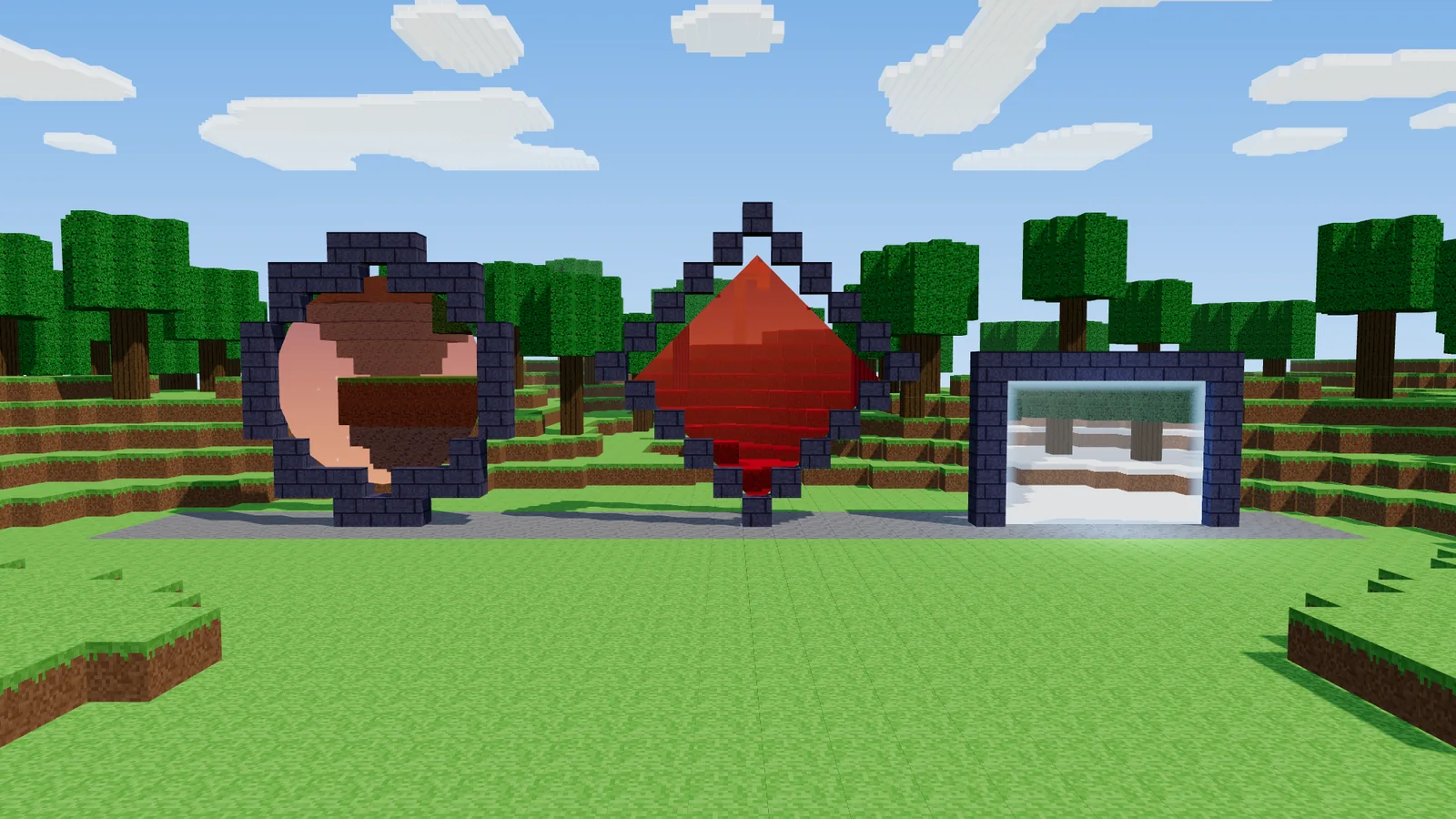
Custom portals let map builders control how separate locations connect. Start with a simple doorway between two test areas, verify the connection, then add transformations or more complex world arrangements.
Create and position custom connections
Supported releases provide portal-editing tools and commands for defining position, size and destination. Some versions include a creative-mode portal wand. Check the documentation for the installed build before choosing a workflow, since older releases may not include the same tools.
Configure destination and return travel
Treat the entrance, exit and return route as separate checks. Verify the destination dimension, coordinates and facing direction, then test crossing in both directions. A view that looks correct from one side does not prove the reverse route is configured as intended.
Use scale and rotation with a clear purpose
Spatial transformations can make connected rooms feel larger, smaller or differently oriented. Design the destination with enough space for the intended traversal and test its behavior before adding surrounding scenery. Keep the effect understandable to players through framing, lighting or a visible destination.
Plan mirrors and nested portal scenes
Mirrors and portal-in-portal views can make a compact build feel more complex. Limit the number of simultaneous views while developing the scene, then test from likely player positions. A visually successful arrangement should also remain usable when players approach its edges or look through several connections.
Prototype dimension stacks and world wrapping
Advanced layouts can connect vertical boundaries or make travel loop between areas. Develop these effects in a test world, document the intended routes and check interactions with other dimension-related content. Confirm the installed version supports the required behavior before applying the design to an established save.
Start with a small design brief
Decide what the connection should achieve before selecting an advanced effect. A portal can shorten travel, reveal a destination or create a puzzle about the relationship between two spaces. Write down the entrance, exit, return route and intended player experience. Begin with a simple connection in an empty test area so geometry and scenery do not hide mistakes. Once the route works, add the surrounding architecture. This order keeps the functional requirement visible and makes it easier to tell whether a confusing result comes from portal configuration or from the way the environment guides the player.
Use the editing tools available in your release
Consult the documentation for the installed version before choosing between a creative editing tool and command-based configuration. Tool availability and interactions can differ across releases, so a tutorial demonstrating another version may not match your inventory or interface. Practice creation, movement and deletion on disposable connections first. Keep a copy of a working portal arrangement before experimenting with transformations. When following commands, understand which portal or destination is being targeted. A controlled test area helps prevent a command intended for one connection from affecting a nearby part of a more complex network.
Plan direction and visibility separately
A visible opening and a complete round trip are different design requirements. Test what the player sees from each side, where crossing places them and how they return. Approach the edges as well as the center, and check the route after moving away and returning. If a map intentionally uses one-way travel, communicate that choice through the surrounding layout so players do not assume a return path exists. Keep destinations free of immediate obstructions while validating the connection. Once the behavior is correct, scenery can reinforce the route without concealing the exit or making the intended direction ambiguous.
Design spatial transformations around traversal
Scale and orientation effects should be evaluated as movement experiences, not only screenshots. Give the destination enough room for the intended arrival and test how the player approaches and exits the transformed connection. Start with a modest effect so its behavior is easy to understand, then increase complexity only when the simple route works. Check the same traversal with the gameplay conditions your map expects. If another mod or dependency is needed for an aspect of the effect, include that requirement in the project notes rather than assuming every installation will behave like the development profile.
Keep puzzle routes readable
For an adventure map, use lighting, recognizable landmarks and consistent visual cues to help players understand where a portal leads. Introduce a new spatial rule in a simple area before requiring it in a complex puzzle. Test the route with someone who did not build it when possible, and observe where they lose their sense of direction. An unexpected connection can be interesting without making every entrance visually indistinguishable. Preserve a recovery route during development so a configuration mistake does not trap the tester away from the area being edited. Refine navigation alongside the visual effect rather than afterward.
Budget complex views before expanding a network
Place portals with likely camera angles in mind. A network that looks simple from above may expose several destinations and nested views from the main entrance. Test those approaches while the build is still small enough to rearrange. If performance becomes uneven, compare a single visible connection with the full arrangement and consider reducing simultaneous views. Keep an ordinary travel route functional even when a more elaborate visual scene is being refined. Record the graphics settings used during testing so the final map is evaluated under conditions representative of the players expected to use it.
Document advanced world layouts and maintenance
For dimension stacks, wrapping layouts or a large collection of custom connections, maintain a simple record of entrances, destinations and intended direction. Include the relevant world and mod versions and note which connections depend on additional content. After changes, test representative routes and save reloads rather than checking only the newly edited portal. Keep backups before altering the wider arrangement. Documentation becomes particularly useful when another builder joins the project or an old map is reopened later, because the intended structure may not be obvious from the scenery or from a collection of portal entities alone.
Conclusion
Custom portals are most effective when their behavior serves a clear building or map-design purpose. Establish a working connection, verify destination and return travel, then add scale, orientation or more complex layouts using tools supported by your release. Test how the scene reads during movement and how it performs from normal player approaches. Keep a record of advanced routes and preserve backups before major edits. A carefully tested network can deliver surprising spatial experiences while remaining navigable, maintainable and practical for the players who explore it.
Build one connection at a time. Verify position, destination, return travel and performance before extending the portal network.